
April 27, 2026 · by Parth Shah 10 min read
A practical guide to eliminating dashboard latency by replacing traditional ETL with near real-time analytics using Azure Synapse Link for Dataverse and Microsoft Fabric.
Imagine your sales team closes a high-value deal at 10 AM, but your leadership dashboard doesn’t reflect it until the next day. By the time insights arrive, the opportunity to react is already gone. This is the reality for many organizations still relying on traditional ETL pipelines.
Modern enterprises can’t afford such delays, especially when working with operational data. Azure Synapse Link for Dataverse eliminates that bottleneck by enabling near real-time data replication directly into analytics platforms, so you can run BI, reporting, and machine learning on fresh data without impacting your transactional systems.
It ensures that the same deal is visible in your analytics dashboards within minutes. Your leadership team can instantly track performance, your marketing team can adjust campaigns in real time, and your operations team can respond proactively.
This blog explores how Azure Synapse Link for Dataverse works, its key features and setup, and how it compares to Microsoft Fabric Link for enabling real-time, ETL-free analytics on Dataverse data.
What is Azure Synapse Link for Dataverse?
Azure Synapse Link for Dataverse enables near real-time replication of Dataverse data into Azure Data Lake Storage Gen2 and Azure Synapse Analytics, eliminating the need to build traditional ETL pipelines. It enables advanced analytics, business intelligence, and machine learning scenarios directly on your operational data.
Data is stored in the open Common Data Model format, ensuring semantic consistency across apps and deployments. Using Delta Lake / Parquet as the storage format, your data is always ready for query via Synapse SQL Serverless, Dedicated Pools, Spark, or Power BI.
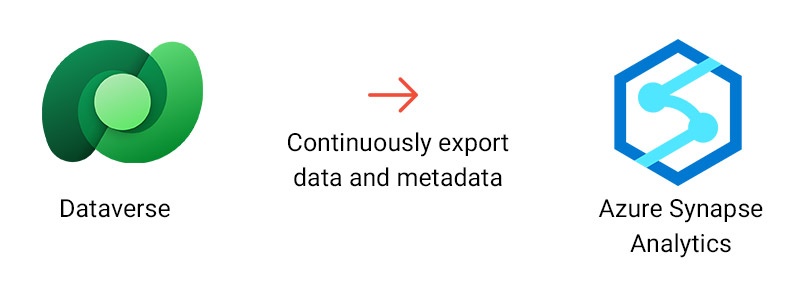
Azure Synapse Link overview — continuous export from Dataverse to Azure Data Lake
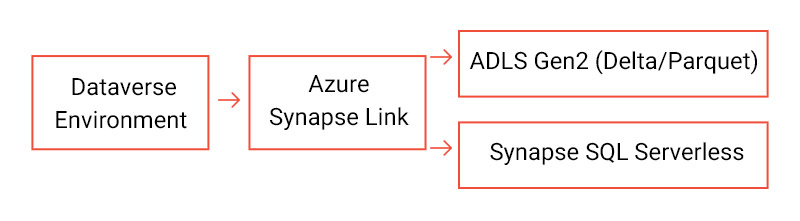
End-to-end data flow: Dataverse → Delta Lake → Analytics / Power BI
Key Features
- Near Real-Time Sync: Changes in Dataverse are reflected in your data lake within minutes using efficient change tracking.
- Zero Performance Impact: Replication runs asynchronously, so your transactional Dataverse system is never affected.
- Automatic Schema Management: Schema changes in Dataverse are automatically propagated to your Delta Lake tables.
- Delta Lake Format: Data is stored in open, industry-standard Delta/Parquet format for maximum interoperability.
- Multi-Tool Integration: Works natively with Synapse SQL, Apache Spark, and Power BI.
- Enterprise-Scale: Designed for large datasets with disaster recovery capabilities and high availability SLAs.
Real-World Scenario
Imagine a global retailer running Dynamics 365 Sales. Their sales team creates thousands of opportunities and orders every day. The analytics team needs daily (or even hourly) reports in Power BI without impacting CRM performance.
Without Synapse Link
- Manual Dataverse exports to datalake or fragile ETL jobs running overnight
- Reports are always 12–24 hours behind
- ETL failures cause missing data in dashboards
With Synapse Link
- Changes in Dataverse (Opportunity, Order tables) flow to ADLS in minutes
- Power BI connects to Synapse SQL Serverless for always-fresh reports
- No ETL pipelines to build or maintain, just point and query
Prerequisites
- Active Azure subscription with an ADLS Gen2 account
- Azure Synapse Workspace in the same region as your storage account
- Synapse Administrator role within Synapse Studio
- Storage Blob Data Contributor / Owner roles on the storage account
- Dataverse System Administrator role; tables must have Track Changes enabled
10-Step Configuration
1
Create a Resource Group in Azure Portal
2
Create a Storage Account with Hierarchical Namespace (ADLS Gen2) enabled
3
Create an Azure Synapse Workspace linked to that storage account
4
Assign IAM role: Storage Blob Data Contributor to the Synapse workspace
5
Open Power Platform Admin Center → Azure Synapse Link
6
Select + New Link → Connect to your Azure Synapse workspace
7
Choose tables for Dataverse export to data lake
8
Monitor initial sync status on the Tables tab
9
Validate Delta / Parquet files in ADLS via Storage Explorer
10
Query your data with Synapse SQL Serverless or Power BI
What is Link to Microsoft Fabric?
Link to Microsoft Fabric takes data integration a step further, connecting Dataverse directly to Microsoft OneLake via shortcuts, eliminating the need for any storage account or Synapse workspace configuration.
The Link to Microsoft Fabric feature built into Power Apps makes all your Dynamics 365 and Power Apps data available in Microsoft OneLake, the built-in data lake for Microsoft Fabric. Data stays in Dataverse, with shortcuts created directly into OneLake so authorised users can work with it across all Fabric workloads.
Key Features
- No Data Duplication: Data stays in Dataverse while Microsoft Fabric accesses it via secure shortcuts, eliminating the need for copies or data movement.
- Near Real-time Access: Changes in Dataverse are instantly available in Microsoft OneLake, enabling up-to-date analytics without ETL delays.
- Shortcut-based Architecture: OneLake shortcuts provide seamless, governed access to Dataverse data without physically storing it again.
- Unified Analytics Experience: Access data across all Fabric workloads, Lakehouse, SQL endpoint, and Power BI DirectLake, from a single platform.
- Native Dynamics 365 Integration: Works seamlessly with Microsoft Dynamics 365, including Finance & Operations apps, ensuring full business visibility.
- Simple, Wizard-driven Setup: Configure the link directly from Power Apps using a guided experience; no infrastructure or pipeline setup required.
- Optimized for Self-service BI: Enables business users to build real-time dashboards and reports quickly without relying on complex data engineering workflows.
Real-World Scenario
Imagine your customer support team logs a critical complaint at 2 PM in Microsoft Dynamics 365. The issue is about a product defect affecting multiple customers. With traditional systems, your support managers and leadership might only see this trend the next day, after dozens more complaints pile up.
Without Fabric Link
- Customer cases are analyzed using scheduled ETL jobs
- Reports in Power BI are delayed by hours or even a day
- Teams react late to spikes in complaints
- Root cause analysis happens after customer impact escalates
With Fabric Link
- The moment a case is created in Dataverse, it becomes available in Microsoft OneLake via shortcuts
- No data movement or duplication—Fabric reads data directly
- Power BI DirectLake dashboards reflect new cases almost instantly
- Support leaders see a spike in complaints within minutes
Prerequisites
- System Administrator role in the Power Platform environment
- Power BI workspace administrator access
- Power BI Premium or Fabric capacity (same Azure geo as Dataverse)
- Permission to create Fabric lakehouses and artifacts
- Fabric Tenant Settings: Fabric items & workspace creation enabled
- OneLake settings: External app data access enabled
- Permissions to manage connections via Settings → Gateways
5-Step Configuration
The wizard-driven setup makes connecting to Fabric straightforward:
1. Open Power Apps → Tables → Analyze → Link to Microsoft Fabric.
Sign in to make.powerapps.com, select your environment, go to Tables, then choose Analyze → Link to Microsoft Fabric on the command bar.
2. Run the validation wizard.
The wizard checks prerequisites and Fabric subscription settings. If capacity isn’t available in your region, you’ll be guided to provision one.
3. Select a Fabric workspace and authentication method.
Choose your workspace and pick from Workspace Identity, Service Principal, or Organizational Account authentication.
4. Link tables automatically.
All Dataverse tables with Track Changes enabled are linked. Finance & Operations tables can be added later via Manage Tables.
5. Select Create.
Fabric Lakehouse opens automatically. The system creates a Fabric Lakehouse, SQL endpoint, Power BI dataset, and shortcuts. The lakehouse opens in a new browser tab when ready.
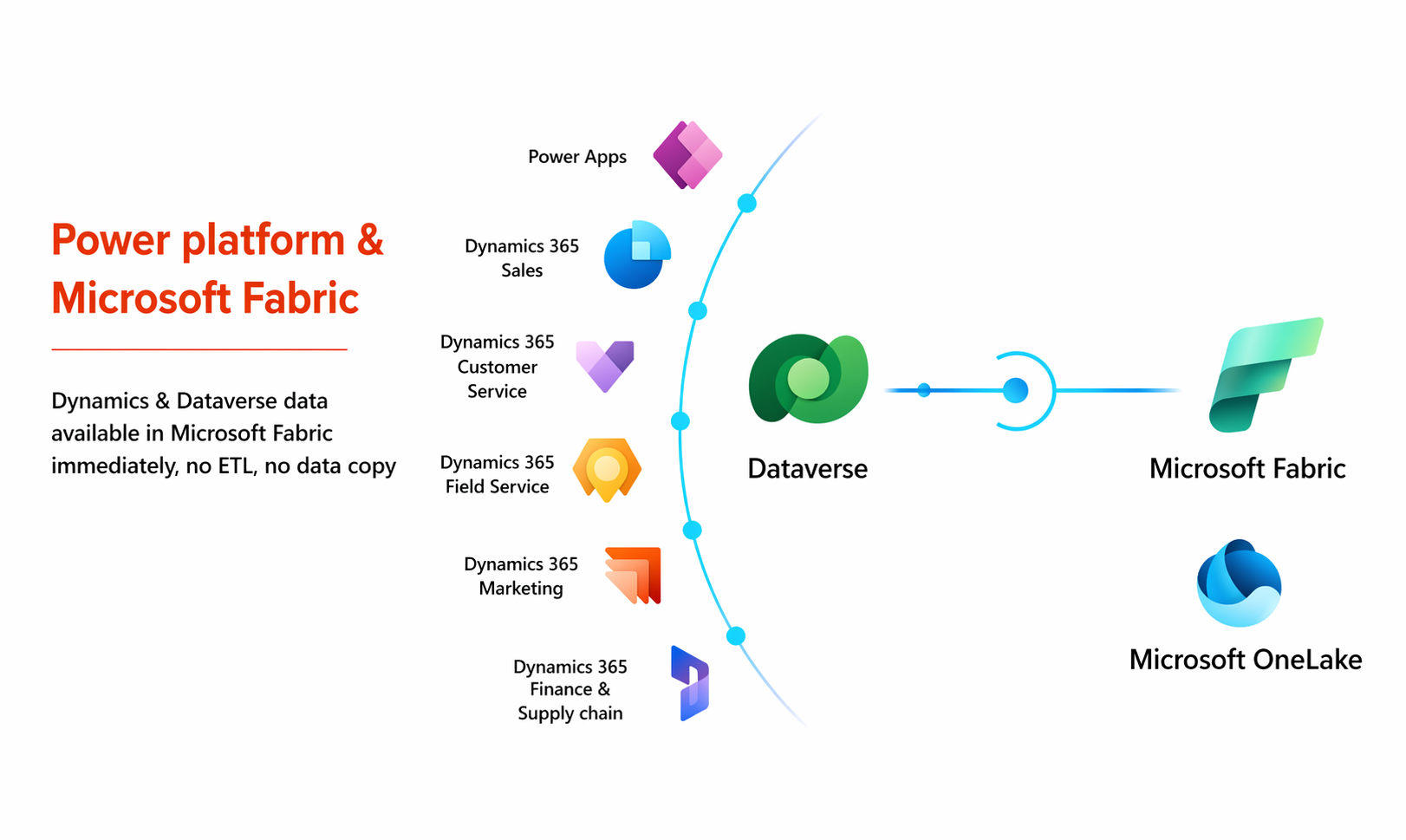
Dataverse direct link to Microsoft OneLake/Fabric ecosystem
Synapse Link vs. Fabric Link: Which to Choose?
Choosing between Azure Synapse Link and Link to Microsoft Fabric depends on your data architecture, analytics needs, and preferred ecosystem. Both options eliminate ETL and enable near real-time access to Dataverse data, but they differ in setup complexity, storage approach, and analytics capabilities. Here’s a quick Synapse Link vs Fabric Link comparison to help you decide:
| Feature | Synapse Link | Link to Fabric |
|---|---|---|
| Storage | Azure Data Lake Gen2 | Microsoft OneLake |
| Format | Delta / Parquet | Delta Parquet (native) |
| No ETL pipelines | ✓ | ✓ |
| Query Engine | Synapse SQL / Spark | Fabric SQL / Spark / Power BI |
| Setup Complexity | Moderate; requires ADLS + Synapse workspace | Simple, wizard-driven with no storage needed |
| Data Copies | Data is replicated to ADLS | No copies, data stays in Dataverse |
| Best For | Enterprise analytics, ML | Quick BI, Fabric ecosystem |
7 Common Mistakes When Implementing Azure Synapse Link for Dataverse
While Azure Synapse Link for Dataverse and Microsoft Fabric Link simplify near real-time analytics, many teams run into avoidable issues during setup and adoption. Understanding these common mistakes can help you get the most out of your implementation.
1. Treating Synapse Link Like a Traditional ETL Pipeline
One of the biggest misconceptions is assuming Azure Synapse Link for Dataverse works like ETL.
- There’s no transformation layer built in
- Data is replicated as-is into your data lake
- Transformations must be handled downstream (e.g., Synapse SQL or Spark)
What to do instead: Design a separate transformation layer for business logic rather than expecting Synapse Link to replace ETL entirely.
2. Ignoring Data Modeling and Schema Design
Teams often rely on raw Dataverse tables without optimizing for analytics.
- Highly normalized schemas can slow down reporting
- Relationships may not be BI-friendly out of the box
What to do instead: Create curated views or star schemas in Synapse to improve Power BI performance and usability.
3. Not Enabling Track Changes on Required Tables
A common setup issue is forgetting to enable Track Changes in Dataverse.
- Tables without change tracking won’t sync
- Leads to incomplete or inconsistent datasets
What to do instead: Validate that all required tables for your Dataverse export to data lake scenario have change tracking enabled before setup.
4. Underestimating Storage and Query Costs
Although Azure Synapse Link for Dataverse removes ETL overhead, it doesn’t eliminate costs.
- Data replication increases storage usage in ADLS
- Poorly optimized queries in Synapse Serverless can increase costs
What to do instead: Implement partitioning, optimize queries, and monitor usage to control costs effectively.
5. Choosing the Wrong Architecture (Synapse Link vs Fabric Link)
Many teams jump into Synapse Link without evaluating whether Microsoft Fabric Link is a better fit.
- Synapse Link introduces infrastructure complexity
- Fabric Link offers a simpler, no-copy architecture
What to do instead: Evaluate your use case carefully
- Use Synapse Link for advanced analytics and data engineering
- Use Fabric Link for faster, BI-focused implementations
6. Expecting True Real-Time Instead of Near Real-Time
Synapse Link provides near real-time, not instant streaming.
- Data latency can still be a few minutes
- Misaligned expectations can confuse stakeholders
What to do instead: Set clear expectations with business teams about refresh intervals and latency.
7. Skipping Governance and Access Controls
Because data is replicated into a data lake, governance becomes critical.
- Sensitive data may be exposed if not properly secured
- Lack of role-based access can create compliance risks
What to do instead: Apply proper IAM roles, data masking, and governance policies in your Azure environment.
Wrapping Up
Most teams don’t struggle with data; they struggle with timing. By the time dashboards update, the moment to act has often passed. Azure Synapse Link for Dataverse and Link to Microsoft Fabric represent a modern, no-ETL approach to enterprise analytics. Whether you need heavy-duty Synapse SQL querying for data science workloads or a fast wizard-driven setup for Power BI reports via Fabric, Microsoft provides a native integration path that keeps your data fresh, secure, and ready to use.
If your decisions still depend on yesterday’s numbers, it’s worth rethinking your setup. Start small; explore Synapse Link vs Fabric Link and bring your Power BI reports closer to real time. The faster your data flows, the faster your business can respond.
About the Author

Parth Shah is a Technical Manager at Synoptek with strong expertise in Business Intelligence (BI) and data platform technologies, bringing extensive experience in end-to-end project delivery. He plays a key role in designing and implementing scalable data solutions, with deep specialization in data warehousing and Microsoft SQL Server.
His experience spans the full data lifecycle, including data ingestion, storage, transformation, and consumption. He has strong expertise in integrating data from Microsoft Dynamics 365 Finance & Supply Chain Management, building modern data warehouses using Azure Synapse Analytics and Microsoft Fabric Link, developing semantic models, and enabling advanced analytics through interactive dashboards and reporting solutions.
Frequently Asked Questions
Unlike traditional ETL processes that batch and move data on schedules, Azure Synapse Link for Dataverse continuously replicates data in near real time. There’s no need to build, monitor, or maintain pipelines; data is automatically available for analytics within minutes.
No. Synapse Link operates asynchronously using change tracking, ensuring zero impact on transactional workloads in Dataverse. Your business applications continue to run smoothly while analytics happens in parallel.
Yes. Data replicated via Synapse Link can be queried using Synapse SQL Serverless or Spark and then connected to Power BI for building dashboards and reports on near real-time data.
Choose Microsoft Fabric if you want a simpler, fully managed, and tightly integrated analytics experience with minimal setup. Synapse Link is better suited for advanced analytics, large-scale data engineering, or when you need full control over your data lake.
With Synapse Link, data is replicated into Azure Data Lake Storage (creating a separate analytical copy). In contrast, Fabric Link uses shortcuts in OneLake, allowing you to access data without creating additional copies.